
Kinsta vs WP Engine: Premium WordPress Hosting for People With No IT Help
Try it: Visit Kinsta.
We Used It HQ: Streamlining business, whatever your size
Disclosure: the visit links on this page are plain links and earn us nothing.
The short answer
Choose Kinsta if you want Google Cloud infrastructure, a clean custom dashboard, and pricing with a one off plus recurring value story for performance focused sites.
Choose WP Engine if you want a long established managed WordPress host with strong agency tooling, included premium themes via StudioPress, and a wide plan range for different site sizes.
Both are premium managed hosts. Neither is the right answer for a hobby site where cheap shared hosting is good enough.
What managed WordPress hosting means
A managed host handles the server stack, security patching, caching, backups, staging sites and WordPress specific support. You pay more than shared hosting, and in return you stop being your own server administrator. For a business site that takes bookings or sales, that trade is usually worth it. For a personal blog with no revenue, it usually is not.
Infrastructure and dashboard
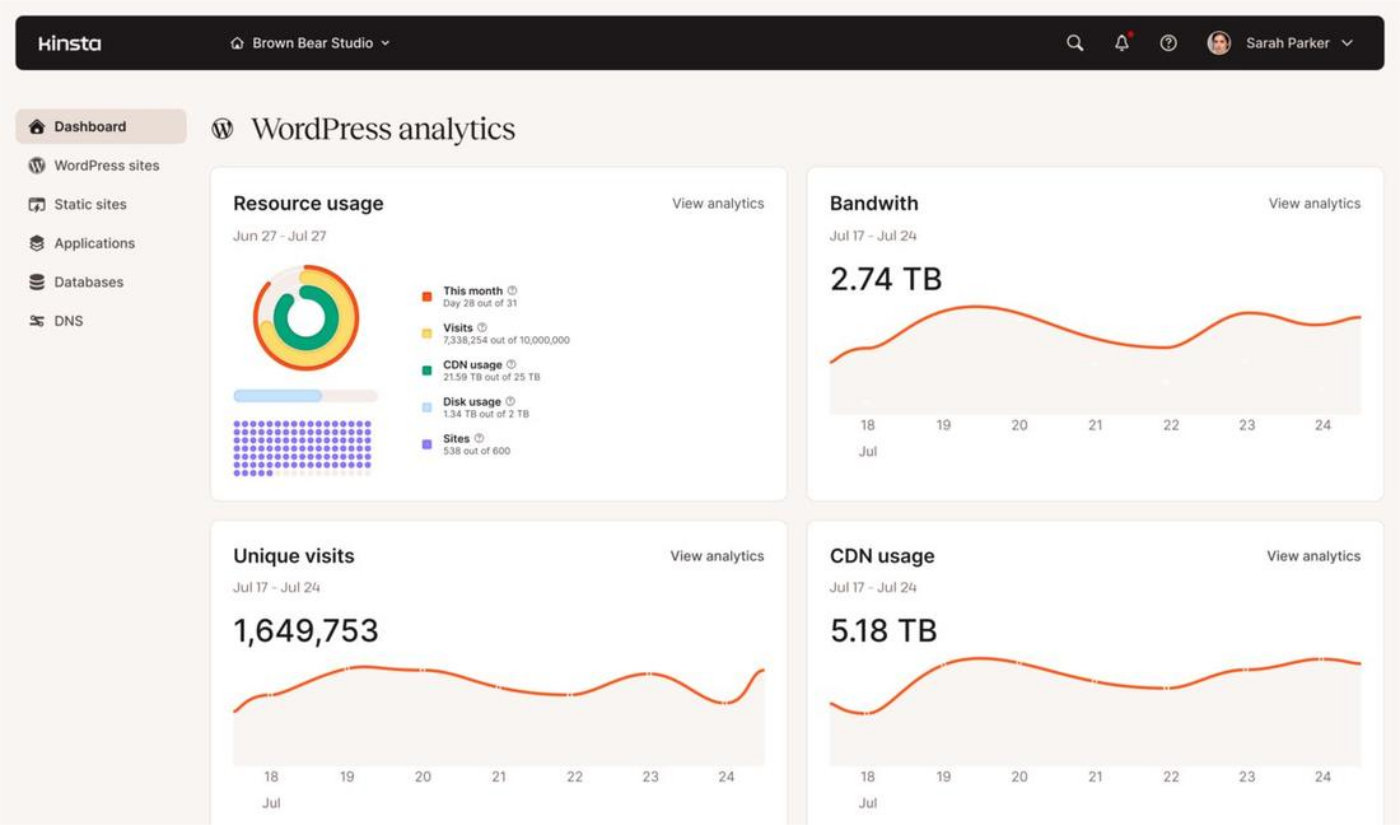
Kinsta runs on Google Cloud Platform and uses its own MyKinsta dashboard, built only for its platform. Reports on speed, visitors and errors sit in one place, and staging is a first class feature.
WP Engine runs its own managed platform built over major cloud providers, with a more traditional portal, plus developer and agency workflows, transferrable sites for client work, and StudioPress themes included on most plans.
Pricing, checked November 2026
Both publish tiered plans by visits, storage and number of sites. The honest way to compare them is not the entry plan headline, it is the tier your real traffic fits into, plus overage terms. Read the visit counting method on each site before you buy, because a bot heavy month can move you up a tier on any visit based plan.
Kinsta's single site plans start at $35 a month at list price, for one WordPress install, 35,000 monthly visits and 10GB of storage. The tiers then step up on visits (65,000, 125,000, 315,000 and beyond) rather than features, reaching $375 a month at the top of the single site range. Multi site plans start at $70 a month for two installs. Go past a plan limit and the site stays online: Kinsta notifies you and charges overages on what you actually used.
WP Engine's Essential plans start at $28 a month billed annually. Its isolated resource tiers, with phone support and an uptime SLA, start at $400 a month billed annually, and the custom tiers above that are quoted. StudioPress themes are included on most plans, which is real money if you would otherwise buy them.
One warning that applies to both: each host runs seasonal offers, and Kinsta's pricing page was showing Black Friday discounts when we checked (50% off monthly plans for three months, ending 1 December 2026). Compare the two on list prices, not on whichever offer happens to be live this week.
Compare the plans yourself: Visit Kinsta and Visit WP Engine.
Where Kinsta wins
- Clean, modern dashboard that non technical owners find easier
- Google Cloud infrastructure story, with a wide choice of data centre locations
- Strong performance tooling and analytics built in
Where WP Engine wins
- Longer track record and a very large agency user base
- StudioPress themes included, real value if you would otherwise buy them
- Agency and client handover workflows are mature
Where each one frustrates people
Kinsta: visit based pricing can surprise growing sites, and some popular plugins are restricted for performance or security reasons.
WP Engine: the portal feels older, plan limits can also bite on traffic spikes, and the best value often sits above the entry tier.
Choose the other one if
Choose Kinsta over WP Engine if dashboard simplicity and Google Cloud matter most, and you want the newest feeling platform.
Choose WP Engine over Kinsta if you are an agency handing sites to clients, want included themes, or prefer the longest established managed host.
Ratings by business type
Kinsta: Solo 8, Micro team 8, Growing business 8, Mid sized 7, Agency 8, Online seller 9, Creator 8. The set and forget host, strongest where WordPress uptime is revenue.
WP Engine: Solo 7, Micro team 8, Growing business 8, Mid sized 8, Agency 9, Online seller 9, Creator 8. The edge moves to WP Engine when there are several sites to run.
Best suited to: both, any WordPress dependent business: publishers, WooCommerce shops, course and membership sites, agencies.
Verdict
For a single business site owner who values simplicity: Kinsta.
For agencies and multi site owners who value tooling and themes: WP Engine.
Either is a large step up from cheap shared hosting. The wrong choice here is staying on a host that loses you bookings when the site goes down.
Kinsta vs WP Engine: quick questions
Which is cheaper, Kinsta or WP Engine? On entry price, WP Engine: Essential starts at $28 a month billed annually, against $35 a month list for Kinsta's first single site plan. Treat that as a starting point only. The tier your traffic actually fits into decides the real bill on both.
How do Kinsta and WP Engine count visits? Both meter visits, and each defines a visit its own way. Kinsta counts one unique IP address visiting within a 24 hour period as one visit. Read both definitions before you buy, because the same real traffic can land in different tiers on the two hosts.
Which is better for agencies, Kinsta or WP Engine? WP Engine, on tooling: transferable sites for client handover, StudioPress themes included, and the longest established agency workflows. Kinsta runs agency plans too, but its strength is the single site experience.
Can I move an existing WordPress site to Kinsta or WP Engine? Yes to both. Kinsta includes unlimited migrations with no downtime on its plans. WP Engine includes managed migrations on its higher tiers. Either way, moving to a managed host is a smaller job than most site owners expect.
Kinsta vs WP Engine for one business site: which should I pick? Kinsta, for the cleaner dashboard and the Google Cloud platform, if you are running the site yourself. Pick WP Engine if you are handing sites to clients, or if the included themes are ones you would otherwise pay for.
Research note: Features checked against vendor published pages, November 2026. Confirm current plan limits, visit definitions and pricing on the vendor site before buying, plans change.