
The Journal · Fix series · Published November 2026
We gave Pictory a finished script and let it build the video. The voice read our words exactly. Everything Pictory added itself, the pictures and the on-screen cards, needed a check it did not get, and two faults reached the export.
Disclosure: Pictory is one of the programmes that may pay us if you sign up through our link, at no extra cost to you. This post exists because we used it, hit a real problem, and are showing the fix.
We took one of our own written fixes, the Jotform notifications post, and turned it into a 63 second video in Pictory. We wrote the script ourselves, word for word, and told Pictory to speak it exactly. Then we let Pictory choose everything else: the scenes, the visuals, the on-screen text.
The narration came back right. The layer Pictory added on top of it did not, in two places.
First, the visuals are generic where it matters most. The scene that tells viewers to open Settings and find the Bounce List section shows stock footage of hands on a laptop. For most videos that is decoration. For a how-to video it is the content: the viewer needs the real screen, the real section heading, the real button. Pictory has never seen the inside of your Jotform account, so it filled the gap with something that looks like a screen.

Second, a template card argued with the script. Our script ends the fix with a limit: you can remove your own address yourself, and for any other recipient Jotform Support has to do it. Pictory dressed that line in its "Common mistake" card layout, which put the correct instruction inside a box labelled DON'T, next to a DO box saying "Escalate other recipients". A viewer skimming that card takes away the opposite of the point. The words were ours. The framing was the template's, and the framing won.
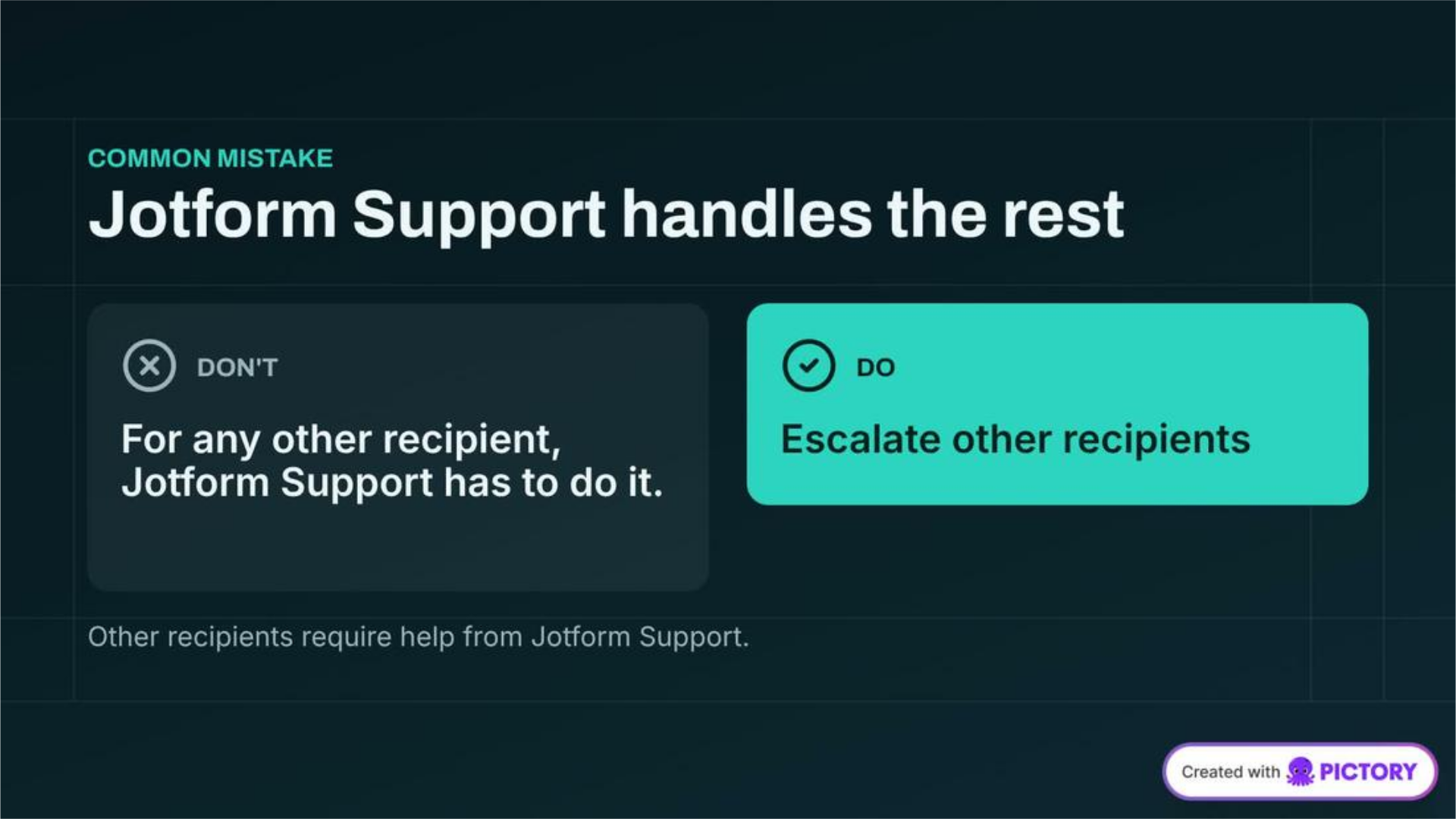
Neither fault is a bug. Pictory builds scenes by matching keywords in your script to its stock library, and its how-to templates add headings, step cards and warning cards of their own. That machinery is what makes a video in five minutes. It is also why the output cannot be trusted unreviewed: the tool does not know which of your sentences is an instruction, which is a warning, and which screen your viewer actually needs to see.
Four checks, done in the storyboard before you export, in this order:
On our own video, the Settings scene was swapped for the real Bounce List screenshot from the Jotform post, and the Common mistake card was removed and rebuilt as a single plain statement. The fixed video is the one embedded in the Jotform post.
Pictory is one of the programmes that may pay us if you sign up through our link, as our Affiliate Disclosure page explains. If you are signing up anyway, our link is weusedithq.com/go/pictory/.
Next in this series: the workflow that never fires, and the calendar that double books, both in HighLevel.